
What Is Compatibility Testing and Why Is It Critical for Your Software?
Compatibility testing ensures your website, mobile app, or software works seamlessly across different browsers (Chrome, Firefox, Safari), devices (iOS, Android), operating systems (Windows, macOS, Linux), and network conditions. It prevents user frustration, lost revenue, and negative reviews. At TestUnity, we provide end‑to‑end compatibility testing using real devices and cloud platforms like BrowserStack – helping you deliver a consistent experience to every user, regardless of their environment.










































What Are the Key Benefits of Compatibility Testing?
Reach More Users
Ensure your application works on all browsers, devices, and OS versions – no user left behind.
Prevent Negative Reviews
Fix layout breaks, functionality issues, and performance problems before real users encounter them.
Faster Time‑to‑Market
Catch compatibility issues early – reduce last‑minute surprises and accelerate releases.
How Does TestUnity Perform Compatibility Testing?
🎯 Key Takeaways
- Compatibility testing prevents user frustration and revenue loss from broken layouts or features.
- Test across browsers (Chrome, Firefox, Safari, Edge), devices (iOS, Android), and OS versions.
- Use real devices + cloud platforms (BrowserStack) for accurate results.
- TestUnity provides a structured approach – from requirement analysis to detailed bug reports.
Make the most of TestUnity’s software testing services to provide an impeccable experience to your users
Why Choose TestUnity for Compatibility Testing Services?
- High‑end compatibility testing using the most advanced tools and real devices.
- Fully equipped testing lab for robust testing across browsers, OS, and devices.
- In‑house experts with deep domain knowledge.
- Years of experience delivering excellent compatibility testing services.

Related Case Studies
Crowd Testing of FIFO LIFE Mobile App
FIFO LIFE, a multi‑function mobile app for the fly‑in, fly‑out industry, had to work flawlessly across hundreds of Android and iOS devices. Our compatibility testing covered 38 real devices, ensuring the app performed consistently on different screen sizes, OS versions, and network conditions.
Key result: 100% test coverage across all target devices, zero critical defects post‑launch, and a seamless user experience for FIFO workers.
Read Full Case Study →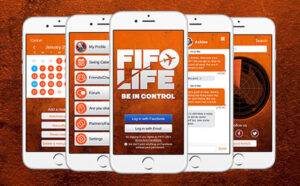
Functional Testing of Travel Tech Website
Travel Tech, a virtual event platform for tourism professionals, had five interconnected modules running on different platforms. Our compatibility testing validated the system across multiple browsers, operating systems, and devices – ensuring a seamless experience for attendees worldwide.
Key result: Zero compatibility‑related issues during the live event, 100% uptime, and positive user feedback across all devices.
Read Full Case Study →
Frequently Asked Questions About Compatibility Testing
-
What is Compatibility Testing?
Compatibility Testing is a type of software testing to check whether your software is capable of running on different hardware, operating systems, applications, network environments, or mobile devices.
-
What are the different types of Compatibility Tests?
Hardware, Operating Systems, Software, Network, and Browser compatibility tests.
-
What is Backward Compatibility Testing?
Backward Compatibility Testing verifies the behavior and compatibility of developed hardware or software with their older versions.
-
What is Forward Compatibility Testing?
Forward Compatibility Testing verifies the behavior and compatibility of developed hardware or software with newer versions (future releases).
-
What are the tools used for Compatibility Testing?
BrowserStack, Virtual Desktops, Sauce Labs, and other cloud‑based testing platforms.
Latest QA Blogs
Churki — India’s First AI Vedic Pandit App Is Now Free on Android and iOS
A new AI app called Churki has launched in India, and it solves a problem that 500 million Indians face every day. Consulting a Vedic Pandit traditionally costs Rs.10–50 per minute, requires an appointment, and is simply not available at 2am when most people actually need guidance. Churki removes every one of those barriers — […]
Design Patterns in Test Automation: Page Object, Factory, Facade & Beyond
You know the Page Object Model. But your test framework is still messy. Tests are hard to maintain. New team members struggle. There must be a better way. There is. Design patterns in test automation are proven solutions to recurring problems. They go beyond basic Page Object to give you a complete architecture that scales. This guide […]
Get In Touch
Connect with us directly


Our credentials